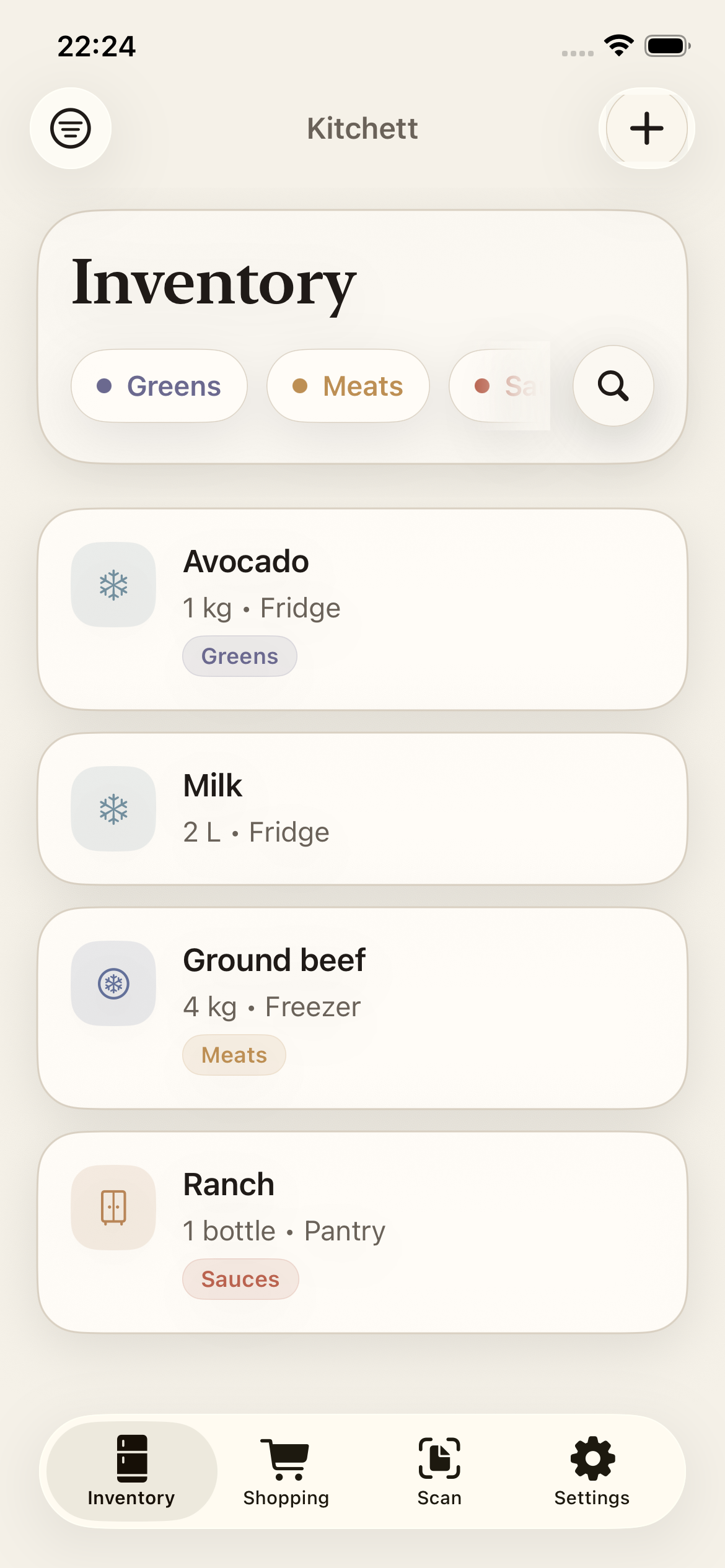
Inventory at a glance
See quantities, categories, and where each item is stored without maintaining a spreadsheet.
Coming soon to iPhone
Turn grocery receipts into a useful inventory, keep one shared shopping list, and waste less of what you buy.
Know what you have
Buy only what you need
From receipt to ready
Kitchett removes the repetitive work between bringing groceries home and knowing what is already there.
Choose a grocery receipt photo. Apple Vision reads it privately on your device.
Correct names, quantities, and storage locations before anything is saved.
Track the kitchen and build a shopping list your household can share.
Built for the everyday
See quantities, categories, and where each item is stored without maintaining a spreadsheet.
Add what is running low and share updates through iCloud so duplicate purchases are less likely.
Optional AI cleanup can turn abbreviated receipt lines into clear names. It is off by default.
Private by default
Core features work without an account, advertising profile, or analytics trail.
Read the full Privacy PolicyReceipt photos are read with Apple Vision and are never uploaded for text recognition.
iCloud and household sharing are optional and use your existing Apple ID.
Only extracted text is sent when you explicitly enable optional cleanup. Raw photos never are.
No ads, third-party analytics SDKs, or cross-app tracking.
Questions, answered
Kitchett is currently in development for iPhone. Email us to receive an update when it is ready for the App Store.
No. Your core kitchen data is stored locally. Optional sync uses your existing Apple ID through iCloud and CloudKit.
Yes. AI cleanup is optional and disabled by default. Inventory, receipt scanning, and shopping lists work without it.
By default, none outside Apple services you choose to enable. With AI cleanup enabled and consented to, only extracted receipt text and parsed item fields are sent—never receipt photos.
Coming soon